The problem
When testing a web application with Playwright, I usually set two configuration options:
webServerto start the dev server automaticallybaseURLso all tests can use short relative URLs for navigation
To keep these two settings in sync, I used a single port variable that takes its value from process.env.PORT and defaults to 3000. I put that port in both baseURL and the command that started the dev server.
Example config:
import { defineConfig } from '@playwright/test';
const port = process.env.PORT || '3000';const baseURL = `http://localhost:${port}`;
export default defineConfig({  use: { baseURL },  webServer: {    command: `npm run dev -- --port ${port}`,    url: baseURL,  },});
This works fine when I run one instance of the app at a time. With five coding agents running tests in separate sessions on the same machine, they could all try to use port 3000 and get a port conflict.
I could use get-port-cli to pick a free port before starting Playwright:
PORT=$(npx get-port-cli) npx playwright testThat works from the terminal, but the Playwright VS Code extension doesn’t run that shell command, so running the same test from the editor still uses the default port. Also, agents might still run tests using the default command npx playwright test and get the busy port.
Detect the port dynamically
Most dev servers can automatically pick a free port and print their URL when they start.
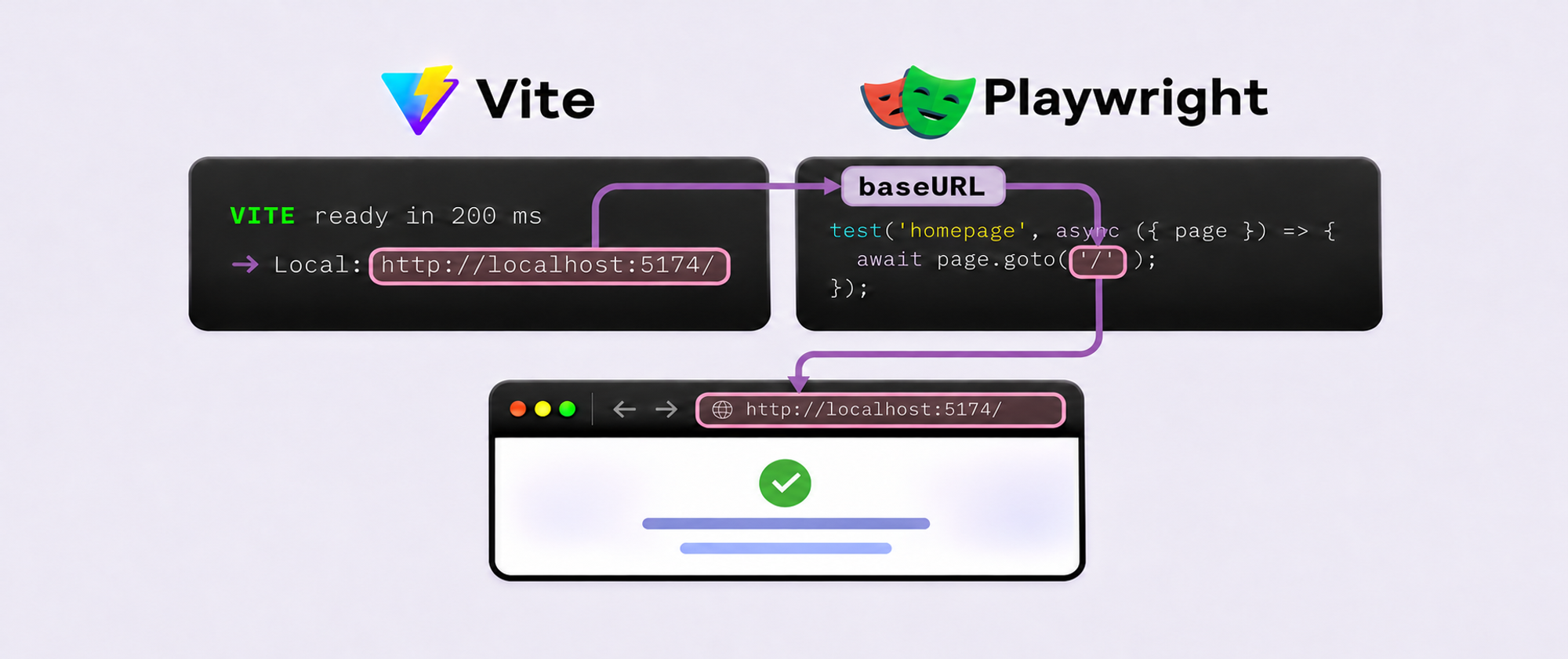
For example, Vite can start on 5174 if 5173 is busy. Its output then looks like this:
VITE ready in 200 ms
  ➜  Local:   http://localhost:5174/
Since Playwright 1.57, there is a handy way to capture the server’s port from stdout: webServer.wait. It can wait for the server’s startup output and capture the actual URL, so the dev server can choose a free port:
import { defineConfig } from '@playwright/test';
export default defineConfig({  webServer: {    command: 'npm run dev',    wait: {      stdout: /Local:\s+(?<APP_URL>https?:\/\/[^\s]+)/,    },  },});
In this regular expression, the most important part is (?<APP_URL>...) - the named capture group. When the regex matches, Playwright puts the captured URL in the environment variable process.env.APP_URL.
You can give the group any valid name. For example, name it VITE_URL and read the captured URL from process.env.VITE_URL.
Set baseURL in a fixture
The next step is to use the captured URL as baseURL so the tests can navigate with relative URLs. The use section of the Playwright config does not work here: Playwright loads the config before starting the server, so it would read APP_URL too early and get undefined:
export default defineConfig({ use: { // ❌ This doesn't work: Playwright hasn't captured APP_URL yet. baseURL: process.env.APP_URL, }, webServer: { // ... }});The solution is to define baseURL as a fixture function that reads process.env.APP_URL:
import { test as base } from '@playwright/test';
export const test = base.extend({  baseURL: async ({}, use) => use(process.env.APP_URL),});
That’s it. Tests can use relative URLs:
import { test } from './fixtures';
test('homepage', async ({ page }) => {  await page.goto('/'); // Opens http://localhost:5174/});
Important notes
- Leave out
webServer.urlwhen usingwait.stdoutto capture the URL. When both checks are configured, either one can mark the server as ready. If the HTTP check finishes first, the tests can start before the regex has captured the URL. - Disable colors if the regex fails on Playwright 1.57–1.60. ANSI color codes in the server’s output can interfere with matching. Add
env: { NO_COLOR: '1', FORCE_COLOR: '0' }underwebServerto turn off colors for the dev server. Playwright 1.61+ strips ANSI codes automatically before matching.
Conclusion
I’ve switched my configs to this approach. Each Playwright run starts its own server and uses the URL that server reports. The same config works from the terminal and the VS Code extension without a separate command to choose a port.